

Black Friday came early. Early-access prices until Nov 8.Black Friday: early-access prices until Nov 8.Early-access price ends in0d00h00m00sClaim the deal



The Mondiad ad network gives advertisers billions of daily impressions across 200+ GEOs, a $50 minimum deposit and campaign approval that usually lands in under an hour. If you already have a tracker, the interesting part is not the volume, it is how quickly that volume turns into data you can act on.
This guide covers what Mondiad is, which ad format fits which goal, how targeting and bidding work, and how the network plugs into ClickFlare so that cost, clicks and conversions all live in one dashboard.
Key Takeaways
Mondiad is a self-serve global advertising network founded in 2019, built by the team behind PopCash, one of the longest-running popunder networks in the industry. That heritage matters: the ad server is proprietary, built in house, and the network has been moving high-volume traffic for over a decade.
Traffic covers all countries, all devices and both mainstream and adult verticals, including e-commerce, app installs, nutra, dating, sweepstakes, finance, casino and betting. Tier-1, Tier-2 and Tier-3 markets are all in play, which gives you room to test cheap and scale where the math works.
Everything runs from one self-serve dashboard: campaign creation, targeting, bidding, creative testing and reporting. Support is available 24/7 over WhatsApp, Telegram, Teams and email, and there is an API if you want to manage campaigns programmatically.
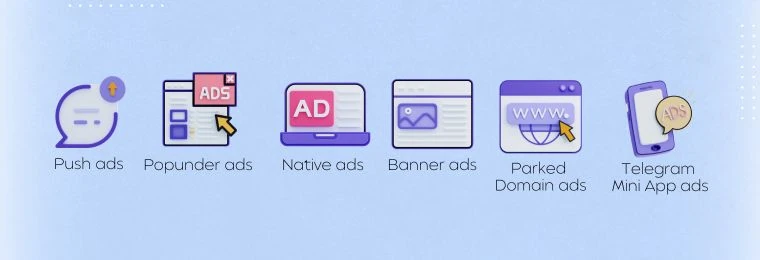
Five core formats are available self-serve, with two more on request. If you want a side-by-side view of how they behave in live campaigns, the Mondiad ad formats comparison guide breaks each one down by funnel stage, GEO tier and budget.
| Format | What it is | Best for |
|---|---|---|
| Classic push | What it isConsent-based notifications delivered to the device on Chrome, Firefox, Android and Edge. Bypasses ad blockers. | Best forNutra, sweepstakes, dating and app installs |
| In-page push | What it isSame look as classic push, rendered inside the page. No subscription required, so it reaches iOS and macOS users. | Best foriOS and macOS reach; runs alongside classic push |
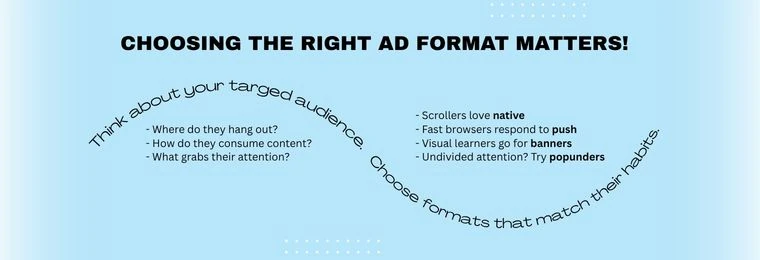
| Native | What it isAds styled to match surrounding content, so they read as recommendations. Needs real copy and a pre-lander. | Best forLonger funnels and sustained performance |
| Banner | What it isStandard IAB sizes with broad reach, easy to produce. | Best forRetargeting and keeping a brand present across a GEO |
| Popunder | What it isLoads your full landing page in a background tab. No frame, no skip button, a full page of real estate. | Best forSweepstakes, iGaming, gaming, finance and crypto, and utilities, especially in Tier-2 and Tier-3 |
Consent-based notifications delivered straight to the user’s device on Chrome, Firefox, Android and Edge. Subscribers opted in, so intent is higher than with most display formats, and push bypasses ad blockers entirely. Strong for nutra, sweepstakes, dating and app installs.
Same look as classic push, but rendered inside the page content instead of the OS notification layer. No subscription required, which makes it your only realistic route to iOS and macOS users. Run it in parallel with classic push rather than instead of it.
Ads styled to match the surrounding content, so they read as recommendations rather than interruptions. Slower to test because they need real copy and a proper pre-lander, but they hold up well over time and suit longer funnels.
The evergreen format. Standard IAB sizes, broad reach, easy to produce and useful for retargeting or keeping a brand present across a GEO while other formats do the heavy lifting.

Mondiad’s newest format. A popunder loads your landing page in a background tab while the user keeps browsing, so your full page is already waiting when they switch away. No banner frame, no skip button, nothing competing for attention, and a full page of real estate to make the pitch. Popunders scale fastest in Tier-2 and Tier-3 GEOs where volume is abundant and CPMs are low, and they work best for sweepstakes, iGaming, gaming, finance and crypto, and utilities.
Two additional inventory types available by talking to your account manager. Useful if you are chasing incremental volume outside the standard formats.
Mondiad supports three buying models: CPM, CPC and TargetCPA. TargetCPA is the one worth your attention if you have conversion data flowing back into the network, because it adjusts bids in real time based on how likely a given impression is to convert, aiming at the CPA value you set.
Targeting covers GEO, carrier, device type, OS, browser and connection type. On top of that, the optimization toolkit includes:
None of this works well in the dark. Custom bidding by ZoneID is only useful once you know which zones convert, which is exactly where your tracker earns its keep.
Traffic without tracking is guesswork, and at any spend above $50 a day that guesswork gets expensive. A dedicated ad tracking platform closes that gap, and ClickFlare already offers a ready-made Mondiad template, so the setup takes minutes rather than an afternoon of parameter mapping.
The first part of the integration is completed inside ClickFlare.
Go to Traffic Sources, click New and search for the Mondiad template. Name the source, select the correct currency, and leave the Parameters section alone: it is already mapped to Mondiad’s requirements, and the cost macro is included, so ClickFlare pulls cost data from Mondiad automatically.
Then create your campaign, select Mondiad as the traffic source, and add the country or device type if you want that dimension in your reporting.
For the transition between ad and campaign funnel, choose the Redirect flow. It needs no code on your landing page and it is in line with Mondiad’s compliance requirements, which makes it the safer default. To send conversions back the other way, configure the S2S postback URL from your Mondiad advertiser account inside the ClickFlare traffic source.
For the complete setup process, refer to our ClickFlare setup guide on the Mondiad blog. Once the campaign is ready, copy the Campaign URL generated by ClickFlare.
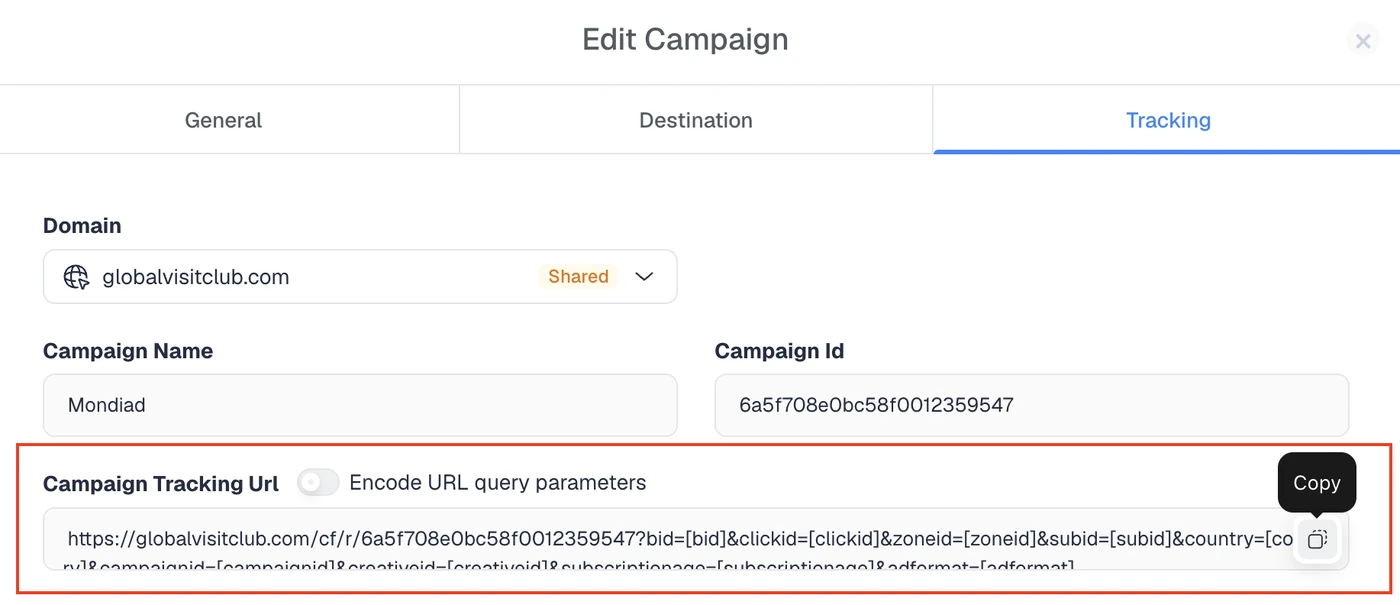
Log in to Mondiad and create a new campaign, or open an existing one. Paste the ClickFlare Campaign URL into the field used for your campaign’s destination or target URL. This ensures that visitors first pass through ClickFlare, where their clicks and campaign data can be recorded, before they are redirected to your landing page or offer. The Campaign URL already includes the tracking parameters configured during the ClickFlare setup.
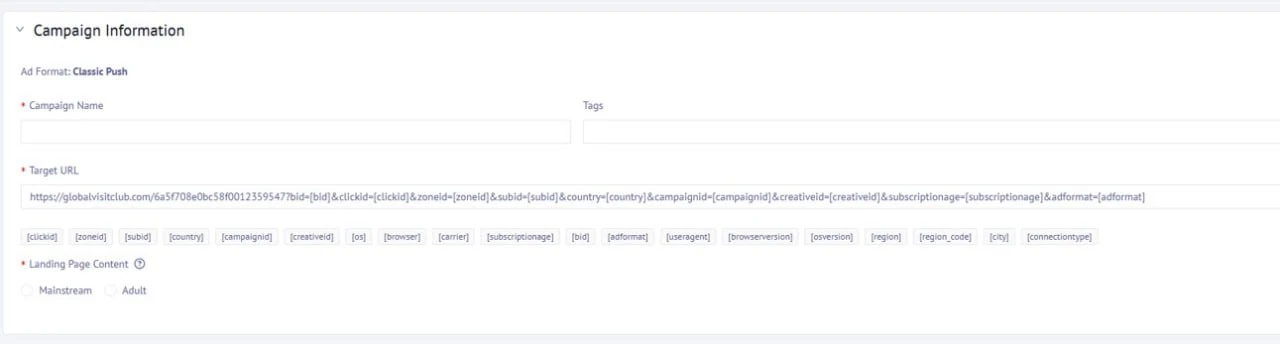
That last step is the one people skip, and it is the one that pays. Once conversions land back in Mondiad, TargetCPA has something to optimize against, and your Smart Optimization Rules and ZoneID bids are acting on real outcomes instead of clicks. ClickFlare tells you which zone, ISP, OS version and creative combination is actually producing revenue, and AI can speed up spotting those winning combinations. Mondiad gives you the controls to act on it. Neither half is worth much alone.
You can send conversion data from ClickFlare back to Mondiad via postbacks. This allows Mondiad to connect actions such as leads, form submissions, add-to-cart events, or purchases with the clicks that generated them.
First, create a conversion goal in Mondiad for the event you want to track.
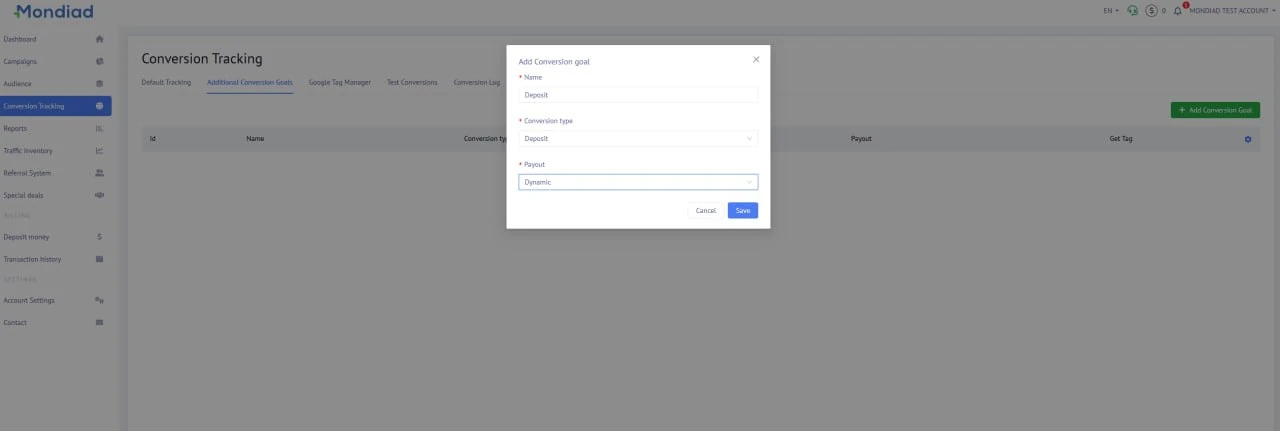
Mondiad will generate a Postback URL containing a unique uid value for that goal. The URL should follow this structure:
https://postback.mondiad.com/track?uid=YOUR_MONDIAD_GOAL_UID&clickid={external_id}&payout={payout}Replace YOUR_MONDIAD_GOAL_UID with the unique value provided by Mondiad. In this URL:
Next, return to ClickFlare and open the Mondiad traffic source settings. Under the traffic source postback configuration, select the event that should trigger the postback and paste the corresponding Mondiad Postback URL.
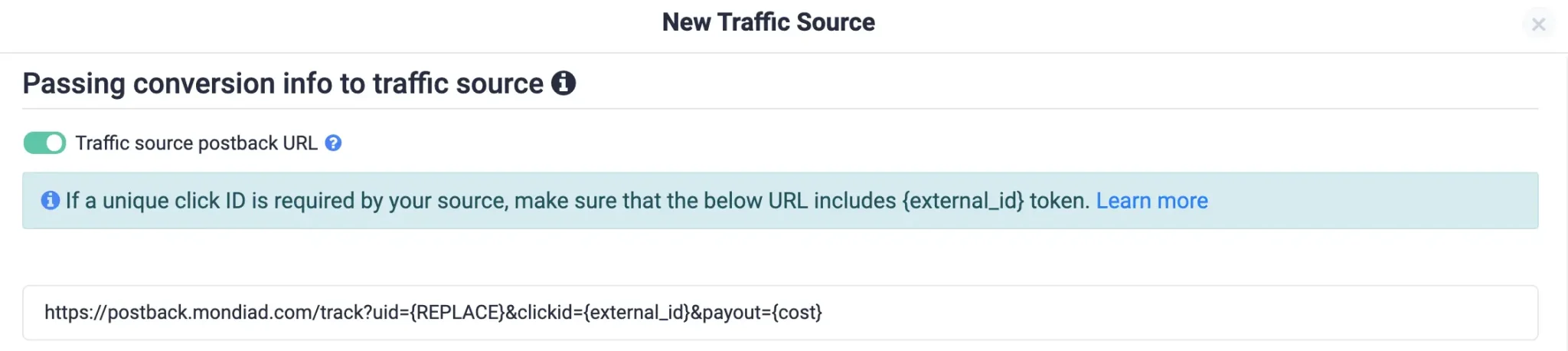
Based on the example shown above, the uid={REPLACE} should be uid={Deposit}.
If you track multiple events, create a separate conversion goal in Mondiad and add a separate Postback URL in ClickFlare for each one. For example, Add to Cart and Purchase should each use their own Mondiad goal and unique uid.
Finally, trigger a test conversion and confirm that the event appears correctly in both ClickFlare and Mondiad. This ensures that the click ID is being passed correctly and that Mondiad can attribute the conversion to the appropriate campaign.
The Mondiad ad network gives you the traffic and the controls. ClickFlare gives you the visibility to know which controls to touch. With a $50 entry point, sub-hour approvals and a template that takes the integration friction to zero, there is not much standing between a hypothesis and a real test. Start small, read the zone data, then let TargetCPA and your ZoneID bids do the compounding.
Classic push, in-page push, native, banner and popunder ads, all self-serve from one dashboard, plus Telegram Mini App ads and parked domain traffic on request.
$50 for most payment methods, or $1,000 via wire transfer. The clickflare10 promo code adds a 10% bonus on a first deposit of $100 or more.
Campaigns are manually reviewed, but approval is typically under an hour during working hours. Building the campaign itself takes around 10 minutes.
Yes. ClickFlare has a ready-made Mondiad traffic source template with parameters and the cost macro already mapped, and conversions can be sent back to Mondiad through the S2S postback URL.
E-commerce, app installs, nutra, dating, sweepstakes, finance and crypto, utilities, and casino and betting. Both mainstream and adult traffic are accepted.
CPM, CPC and TargetCPA. TargetCPA adjusts bids in real time toward your target cost per acquisition, and it needs conversion data postbacked from your tracker to work properly.






