

- Sum
- Subtraction
- Multiplication
- Division
Use Cases
There’s virtually no limit to the new metrics you can create through this feature. Here are some examples from users’ requests:- Unique CTR: You can create a custom column that gives you the percentage of unique users who clicked through your landing page. Unique CTR = Unique Clicks / Unique Visits
- Cost per Custom Conversion: You can separately calculate the cost for each custom conversion. Cost x custom conversion = Cost / Custom Conversion
- Revenue Drop: In the case of search arbitrage, it’s common to have an estimated revenue (through postback) until the final revenue (API) is confirmed. So it becomes handy to have a metric that calculates the drop from Estimated to Finalized Revenue. In case you separate these types of revenue through custom conversion, here’s the formula you would use: Revenue Drop (%) = 1 - Final Revenue/ Estimated Revenue *Similarly, you can calculate the EPC drop
How to create a custom metric
-
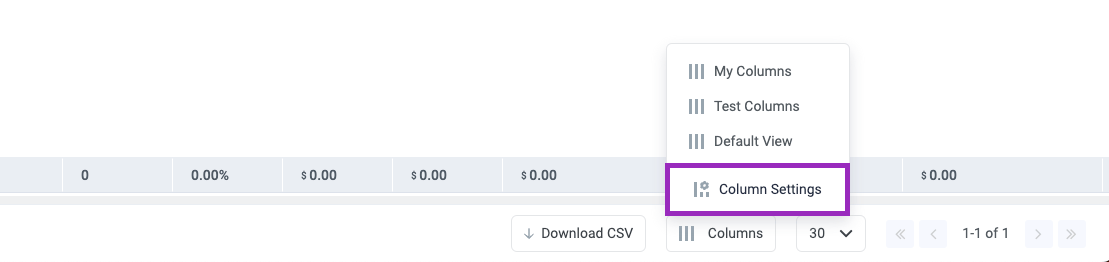
In ClickFlare, click Column Setting in the bottom right corner
-
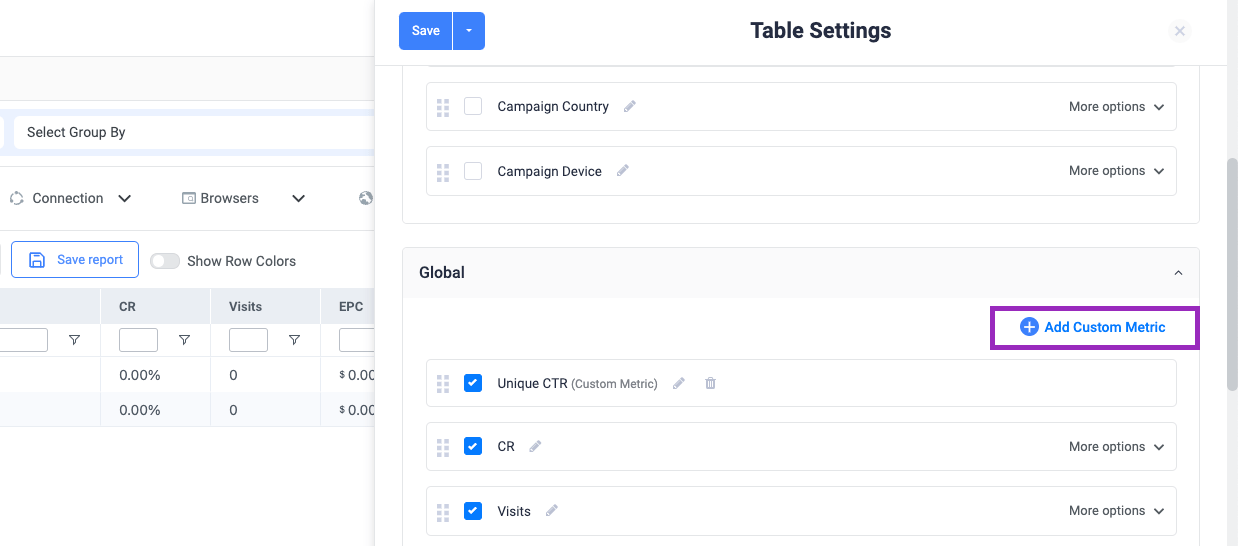
Scroll down to the Global columns’ section, and click on **+ Add Custom Metric
 **
**
- Enter a name for your custom column in the text field labelled “Column name”.
- Select the result precision of your formula and the format (number, percentage, or currency).
- Create your formula by selecting metrics from the dropdown, or by entering static values.
-
Click the save button
 Note: You can not use another custom metric inside a formula. In that case, you would just need to expand the existing formula