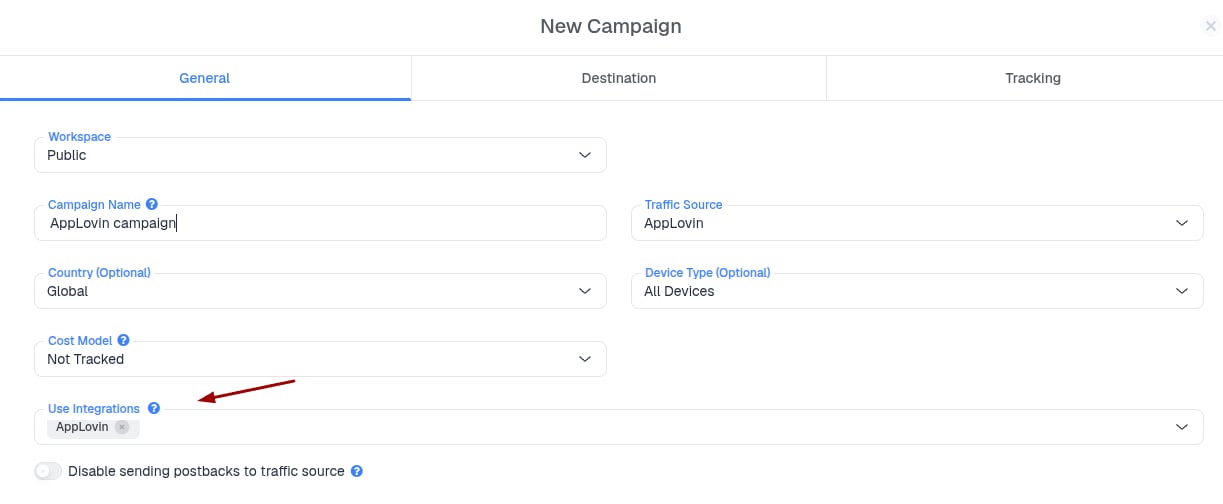
Why should I use Conversion API for AppLovin?
API conversion reporting allows you to send conversion events directly from ClickFlare to AppLovin through an API connection, without relying on browser-based reporting methods. This helps minimize data loss caused by browser restrictions, tracking limitations, or users blocking client-side tracking. By sending conversion data directly through the API, you can provide AppLovin with more reliable conversion signals, improving reporting accuracy and helping optimize campaign performance.What you’ll need for the integration:
- An active AppLovin Account
- An active ClickFlare Account
- AppLovin Conversion API credentials
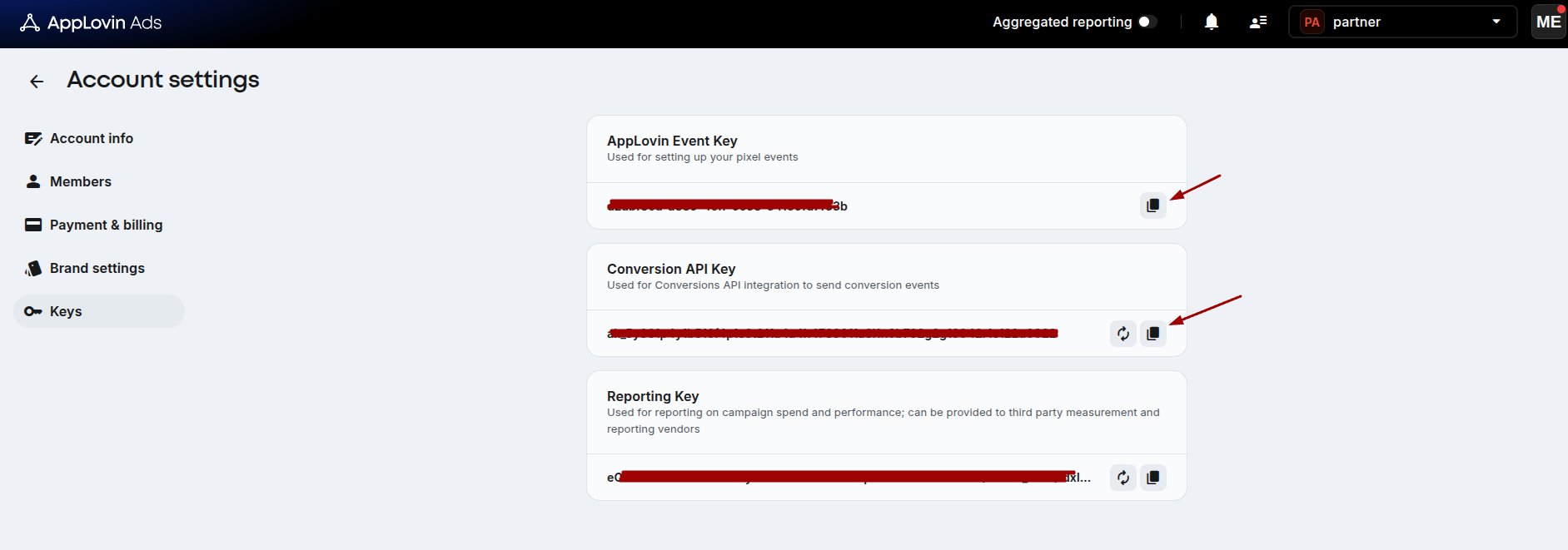
Where to Find AppLovin Conversion API Information
From your AppLovin account, navigate to Keys Copy the required API credentials needed for the integration.- AppLovin Event Key (Pixel ID)
- Conversion API Key (API key)
Integrating AppLovin Conversion API in ClickFlare
Follow the steps below to add the AppLovin Conversion API integration.- Go to the Integrations tab.
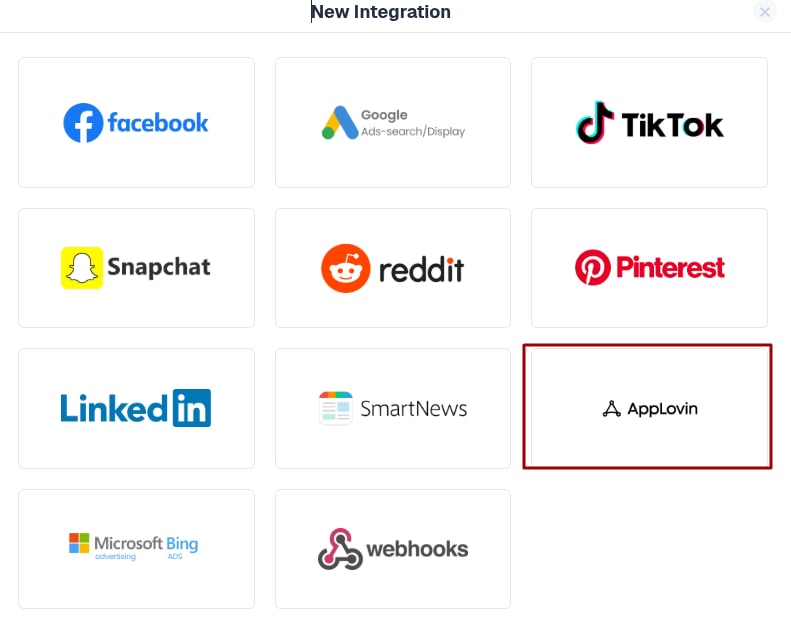
- Configure the AppLovin Conversion API integration
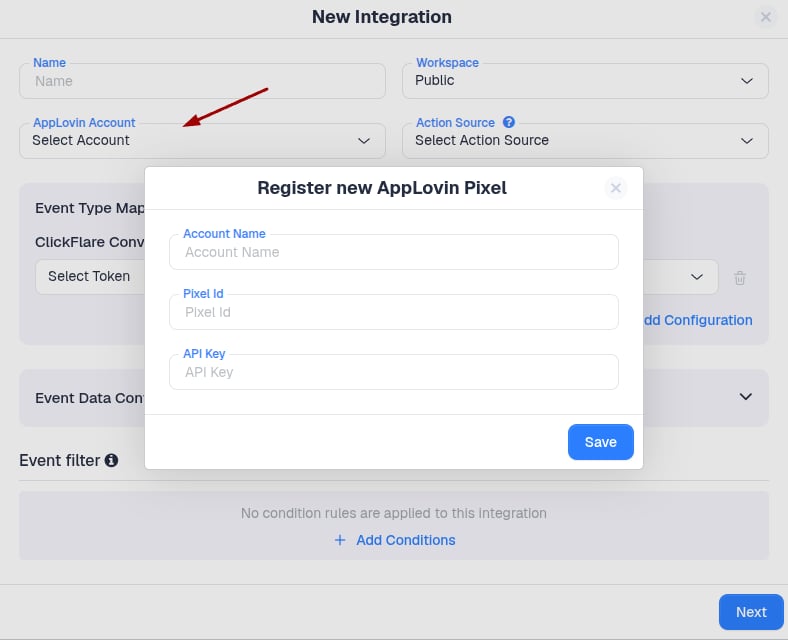
Define which ClickFlare events will be sent to AppLovin
Specify which ClickFlare-tracked events should be reported to AppLovin. Using the Event Type Mapping, you can map ClickFlare events to the corresponding AppLovin conversion events.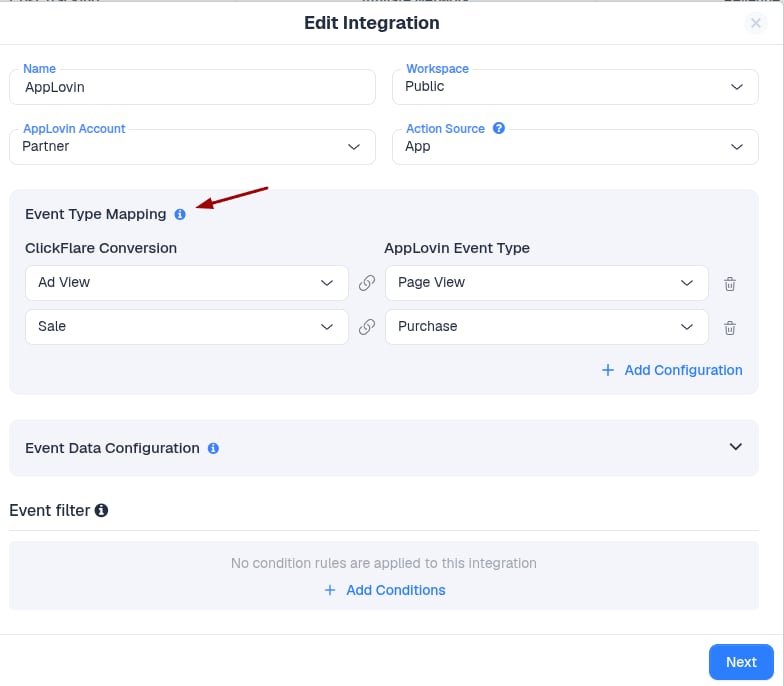
Configure the event data
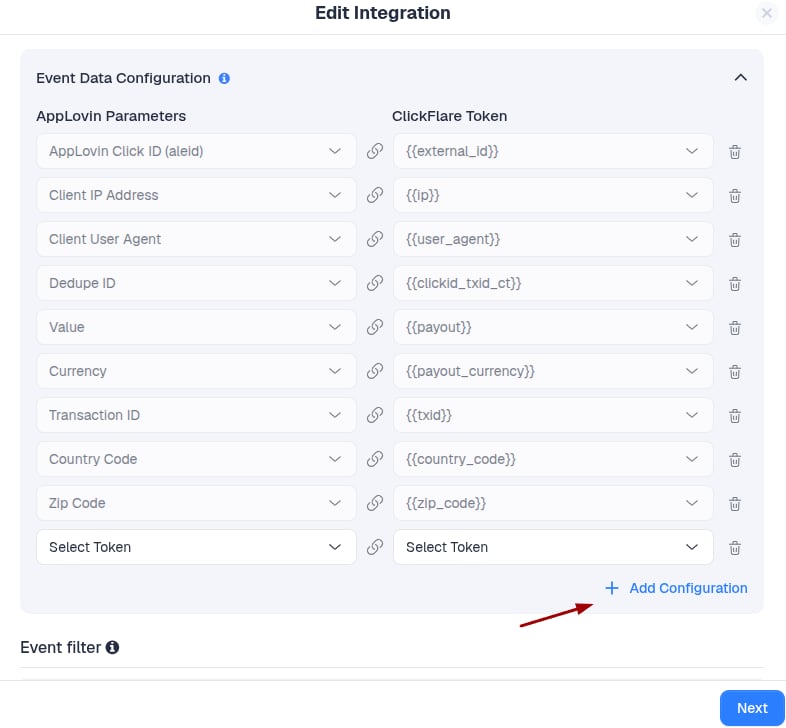
After mapping the events, define what information should be sent to the AppLovin Conversion API. Some fields may already be populated and cannot be modified, as ClickFlare sends this information by default. If you want to send additional information with each event, you can configure it through the Event Data Configuration section.Note: Some parameters are required by the Traffic Source and cannot be changed or removed.
Save the integration
Once you have completed all configurations, click Save. The new AppLovin Conversion API integration will now appear under the Conversion API Integrations section. Congratulations, you have successfully configured the AppLovin Conversion API integration in ClickFlare.