

- Conversion API integrations
- Traffic source postbacks
- Lander and Offer URLs
- Custom webhook integrations
- Send a percentage of revenue
- Apply revenue share automatically
- Cap or adjust payouts
- Format string values
- Apply conditional logic
- Build advanced tracking logic without external scripts
How Dynamic Value Formulas Work
Dynamic formulas use this format:Basic Example
- {payout} is replaced with the actual payout value
- multiply(value, 2) is evaluated
- The calculated result is inserted into the URL
Where You Can Use Dynamic Value Formulas
You can use formulas anywhere placeholders are supported:-
Conversion API integrations
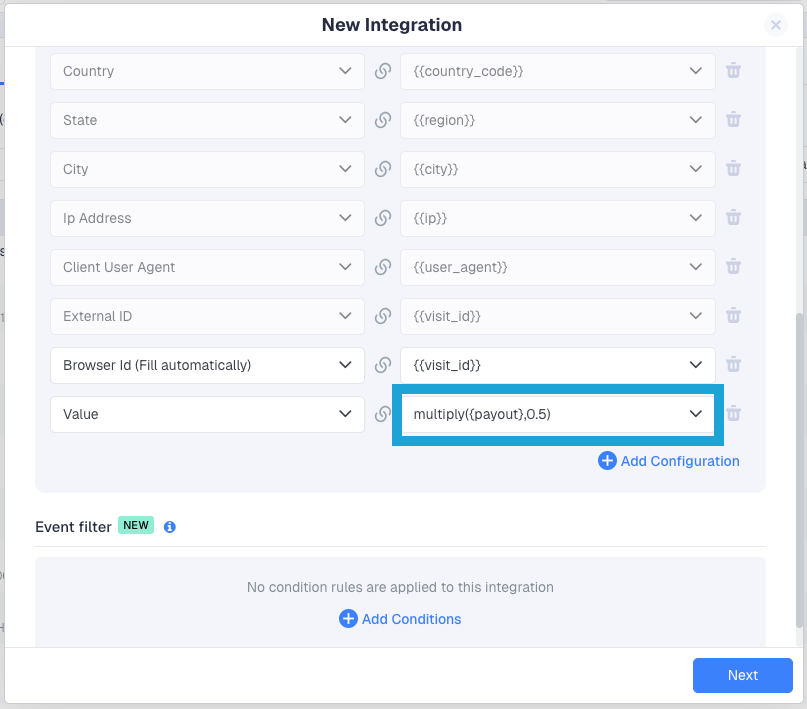
-
Traffic source postback URLs

-
Lander and Offer URLs
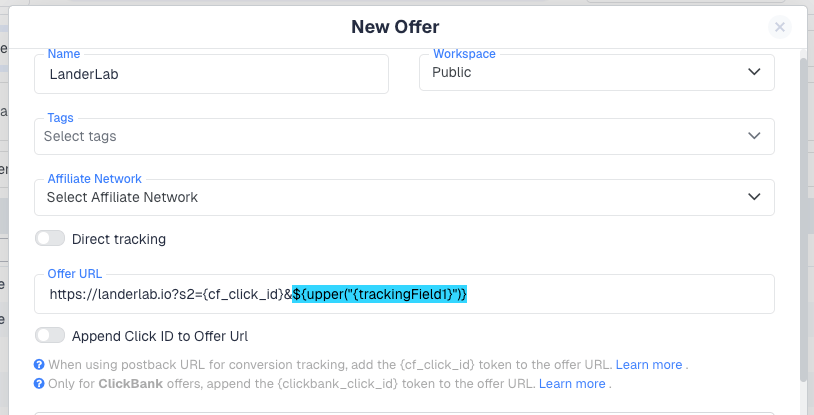
-
Custom Webhook integrations
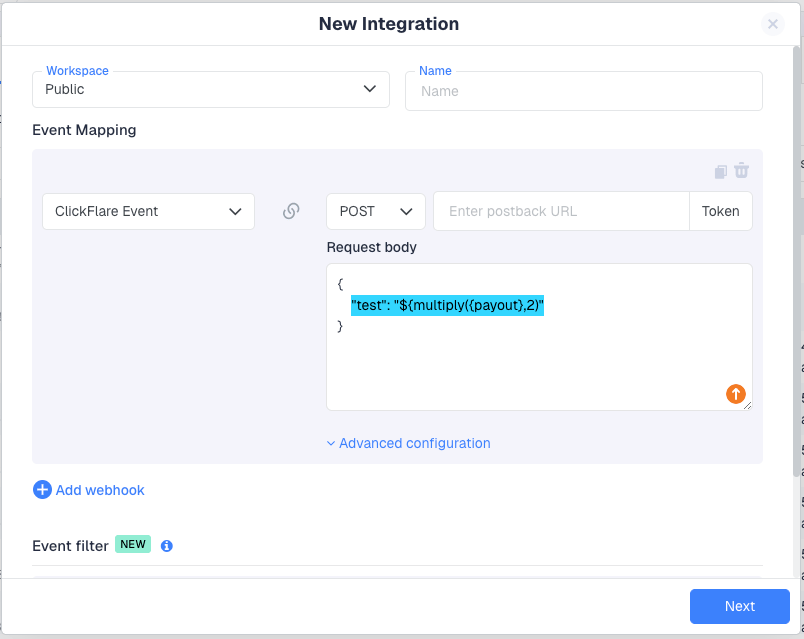
Using Dynamic Value Formulas in Integrations
Example 1 – Send 50% of Revenue in a Webhook
In a Custom Webhook request body:Example 2 – Adjust Value in Conversion API Integration
In the Value field:Available Formula Functions
Math Functions
Used to calculate or adjust numeric values.Practical Math Examples
Send 30% revenue shareString Functions
Used to format tracking fields or other string parameters.Example
If {trackingField1} contains:Conditional Logic
if(condition, then, else)
Allows dynamic decision-making.Conditional Examples
Tiered value logicCap maximum payout
Nesting Formulas
Formulas can be combined. Example:- Add 10 to payout
- Multiply result by 0.7
Mixing Placeholders and Formulas
You can use both in the same URL:- {cf_click_id} → the ClickFlare click ID
- ${multiply(…)} → formula
- {var:cmp_id} → custom parameter
String Quoting Rules
Numeric values
Numeric placeholders are inserted directly:String values
You can use: Quoted:Encoded URLs
Dynamic Value Formulas also work inside encoded URLs. Example:Error Handling
If a formula cannot be evaluated:- Unknown function
- Missing placeholder
- Null value
- Type mismatch
Real-World Use Cases
Revenue share with traffic sourceBest Practices
- Always wrap formulas in ${}
- Use {placeholder} inside formulas
- Test complex nested formulas before going live
- Use rounding functions if traffic sources require integers
- Keep logic readable
Summary
Dynamic Value Formulas allow you to:- Automatically apply revenue share
- Adjust payouts dynamically
- Add conditional logic to tracking
- Format values before sending
- Build advanced tracking flows without middleware
FREQUENTLY ASKED QUESTIONS Got questions? Find the answers below:
Q1: Do I always need to use ${} for formulas?A1: Yes. Dynamic Value Formulas must always be wrapped in: Without the $ prefix, ClickFlare treats the content as a normal placeholder or plain text and will not evaluate it.
The only exception is inside the Conversion API integration, where the ”{} for evaluation.
Q2: Can I use formulas anywhere in ClickFlare?A2: You can use Dynamic Value Formulas anywhere placeholders are supported, including:
- Conversion API integrations
- Traffic source postbacks
- Offer URLs
- Lander URLs
- Custom webhook request bodies
Q3: What happens if the payout value is missing or null?A3: If a formula cannot be evaluated (for example, {payout} is null), the formula remains unchanged. Example:
Q4: Can I combine multiple formulas together?A4: Yes. Formulas can be nested. Example:
- Adds 10 to payout
- Multiplies the result by 0.7
Q5: Can I use formulas with string values?A5: Yes. You can use:
- upper()
- lower()
- trim()
Q6: Are formulas evaluated before or after placeholders?A6: Placeholders are resolved first. Then the formula is evaluated. Flow:
- {payout} → replaced with actual number
- `${multiply(…)} → calculated
- Final value inserted into URL or request body
Q7: Do formulas work in URL-encoded URLs?A7: Yes. Encoded expressions such as: