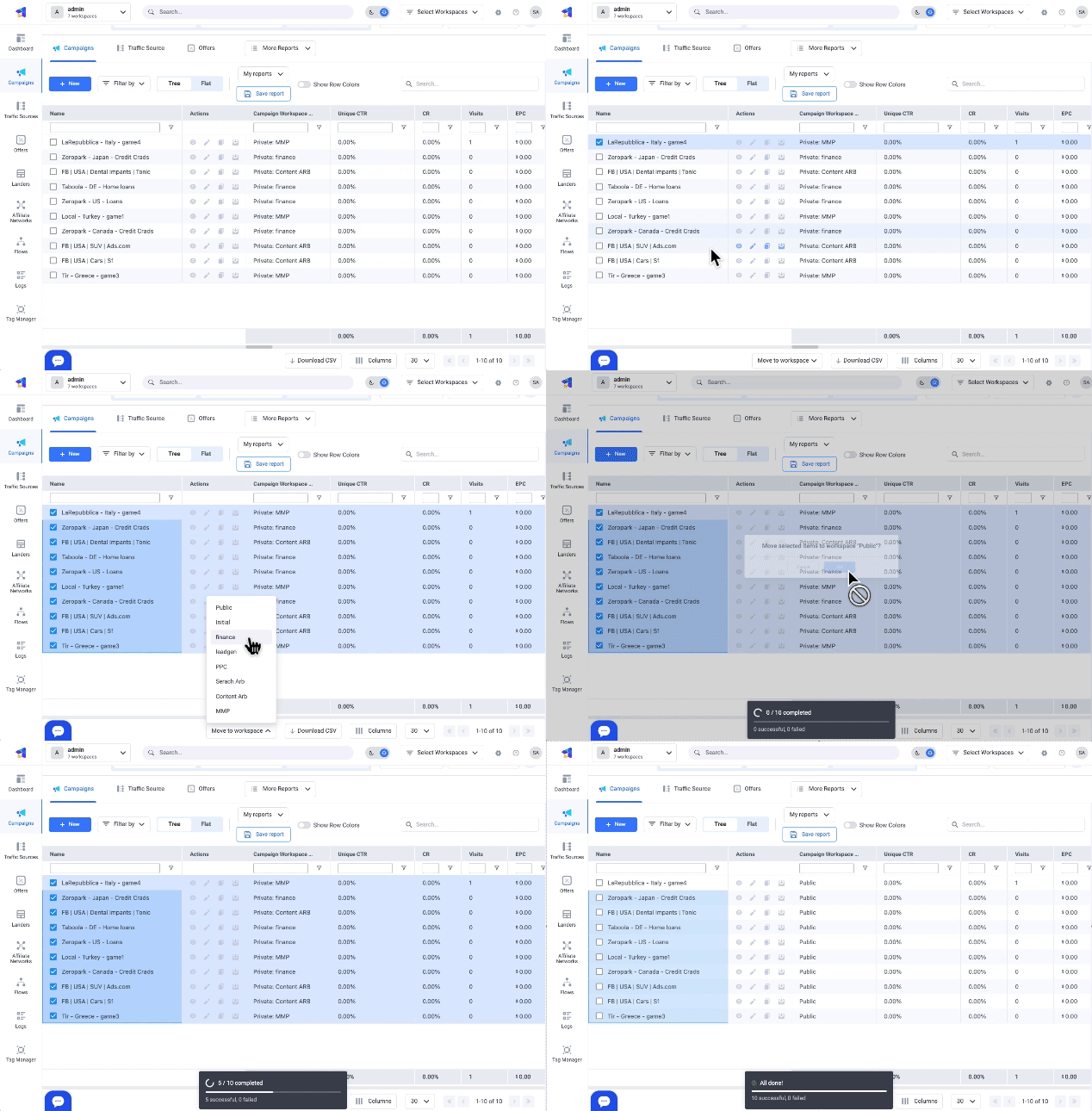
- In ClickFlare, navigate to the relevant element tab.
- Select checkboxes next to campaign elements you want to move. These elements do not need to be from the same Workspace.
- Click the Move to Workspace dropdown button on the bottom right.
- Choose the Workspace from the drop-down menu where you want to relocate the selected elements.