

🚀How it works
When setting up a traffic source in ClickFlare, you can use Extra Parameters to match the parameters provided by your traffic source with the appropriate ClickFlare tokens, ensuring accurate data transfer.-
Below is an example for Facebook as the traffic source, but this approach works for all traffic sources.
First, click on +Add Parameter to include a new parameter in the list of default parameters already displayed.
 To send a custom macro to the offer URL for the advertiser, you need to map the custom macro to the appropriate ClickFlare token. In this example, the token used is {trackingfield9}.
Note: Ensure that the traffic source (TS) token is written correctly. Refer to the traffic source documentation for accurate token details.
To send a custom macro to the offer URL for the advertiser, you need to map the custom macro to the appropriate ClickFlare token. In this example, the token used is {trackingfield9}.
Note: Ensure that the traffic source (TS) token is written correctly. Refer to the traffic source documentation for accurate token details.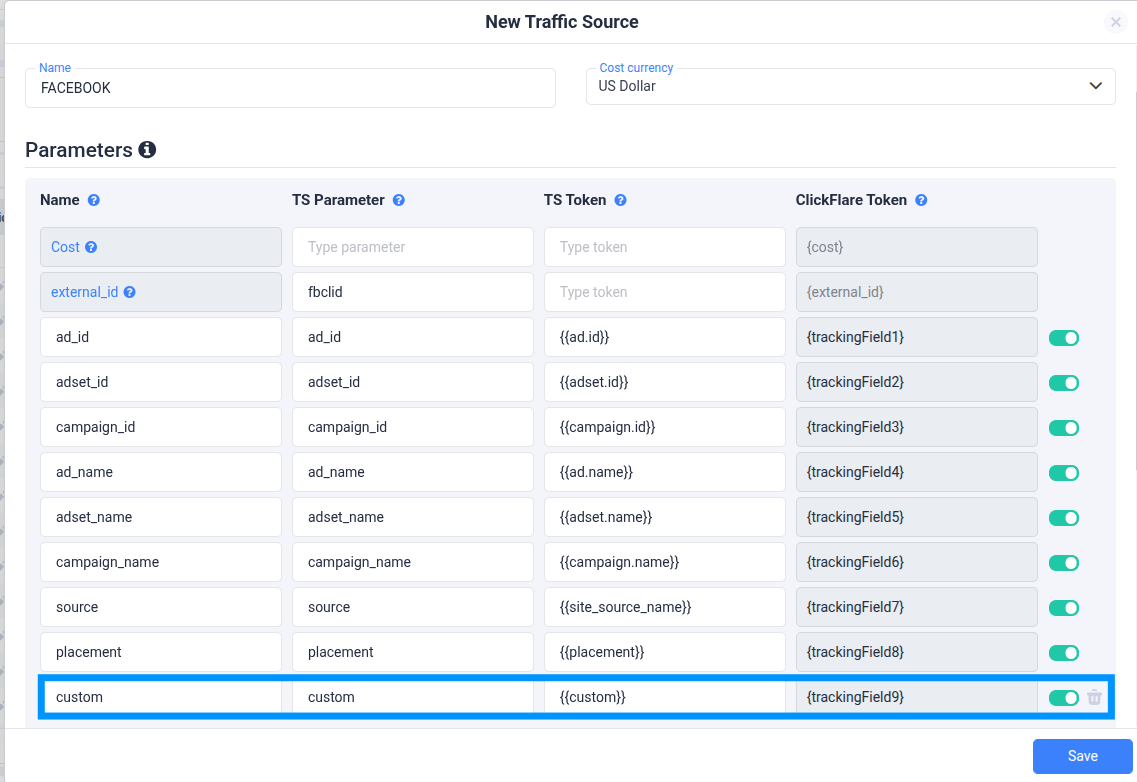
-
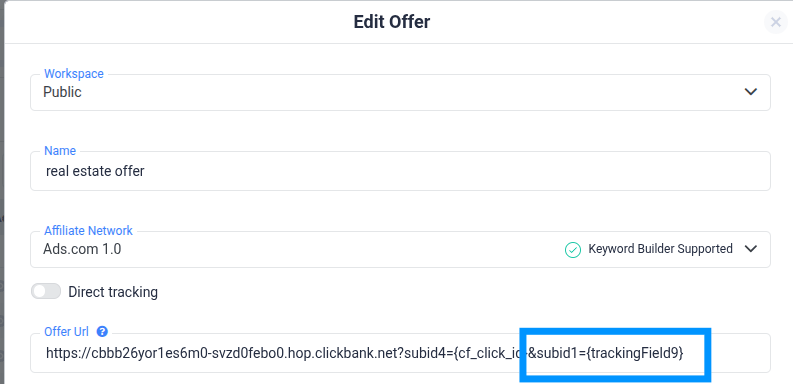
Next, in the offer URL, you need to map the ClickFlare token value to an available affiliate/feed token. In this example, we are passing it to subid1
❓FREQUENTLY ASKED QUESTIONS Got questions? Find the answers below:
Q1: How can I verify if the parameters are being passed correctly?A1: You can verify if the parameters are being passed correctly by reviewing the tracking data in your affiliate or feed provider’s reporting system. Additionally, you can test the offer URL with a sample click to ensure the data is properly reflected in the URL and is being received by the destination.
Q2: Can I map multiple ClickFlare tokens to a single affiliate/feed token?A2: Yes, you can map multiple ClickFlare tokens to a single affiliate or feed token. However, ensure that the network or provider you are working with supports multiple values for a single token. Otherwise, the data may be overwritten or not passed as expected.