

The following article primarily addresses Read-only in ClickFlare.
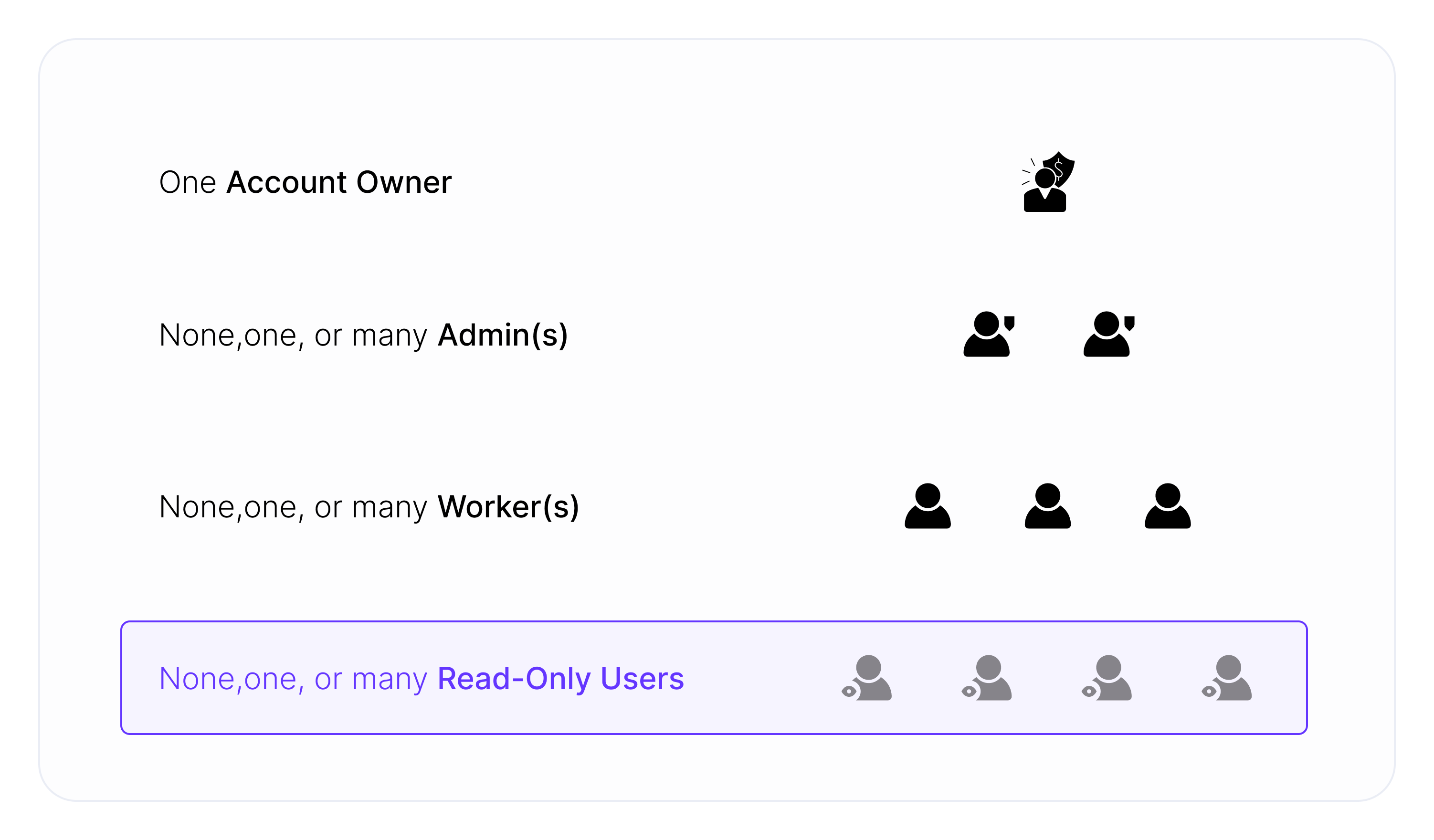
Legend:
- Create and edit - rights to create and edit the campaign element within given Workspace
- Read only - rights to view a given element
- Not available - the campaign element cannot be assigned to the given type of Workspace
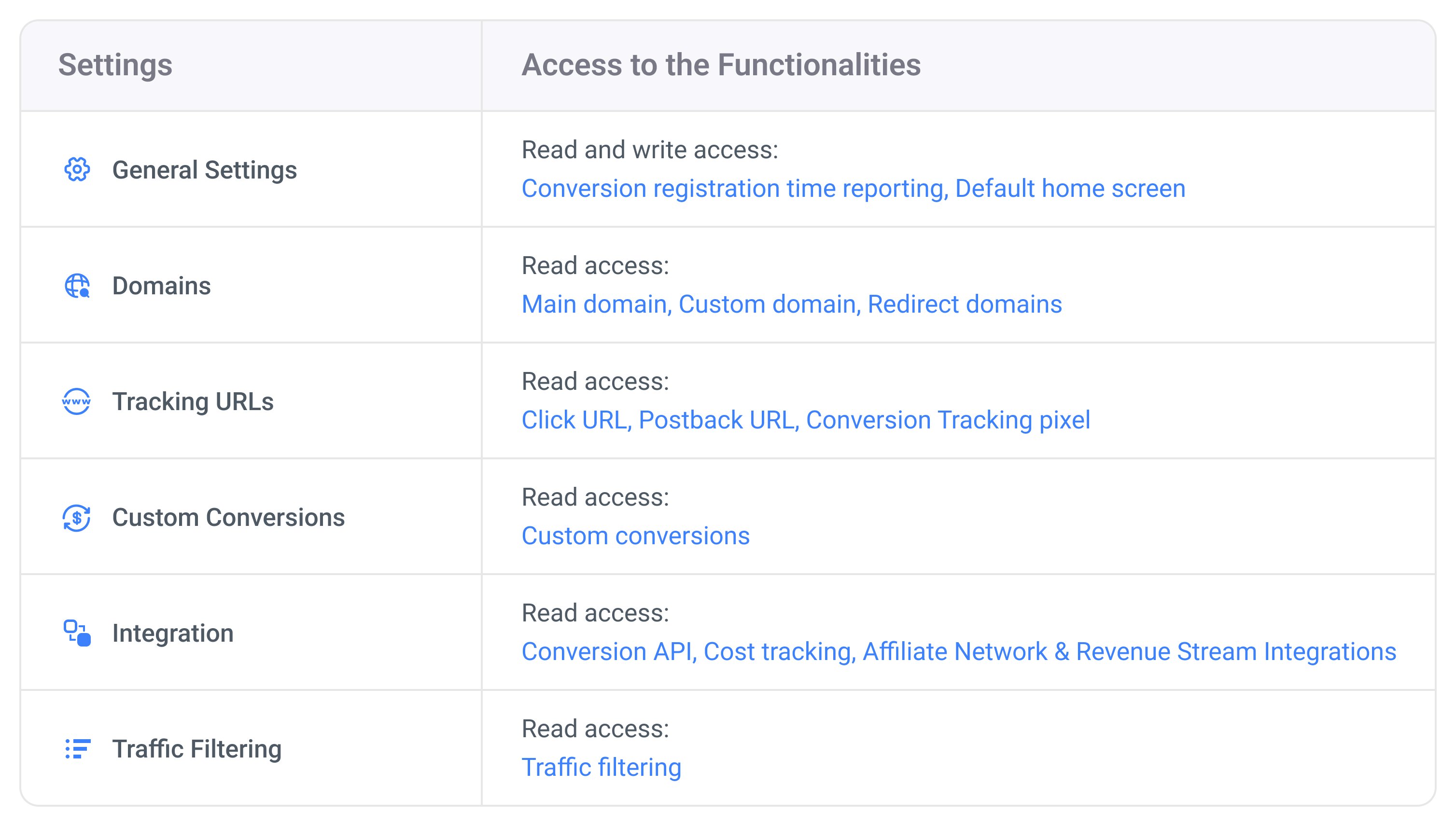
I attempted to modify the visible flow, but my changes couldn’t be saved. Why is this happening?If you’re encountering difficulties saving changes, it’s possible that you’re trying to edit a public element. In such cases, the campaign’s element operates in read-only mode, allowing use in the campaign funnel but preventing any changes to the element setup. To make alterations to the public element, reach out to your Account Owner or one of the Admins.
Is it possible to allocate the campaign element to multiple Workspaces?Currently, it’s not feasible to assign the campaign element to more than one Workspace.