

Note: For the purpose of tracking, you don’t have to use a domain. A subdomain will do the job as well.
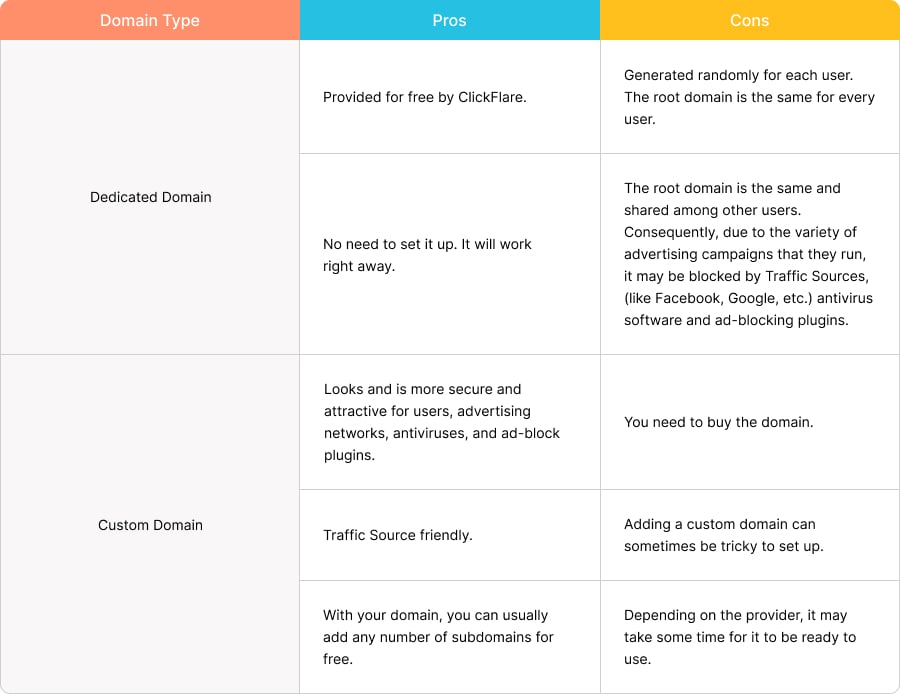
Note: Having a custom domain is not a must for using our tracker, since you can always use the dedicated domain that comes with your ClickFlare account. Just be aware of the cons of doing so.
Note: You don’t need to have a separate custom tracking domain for all of your websites or stores. You can use one custom tracking domain for all the websites that you track with ClickFlare.
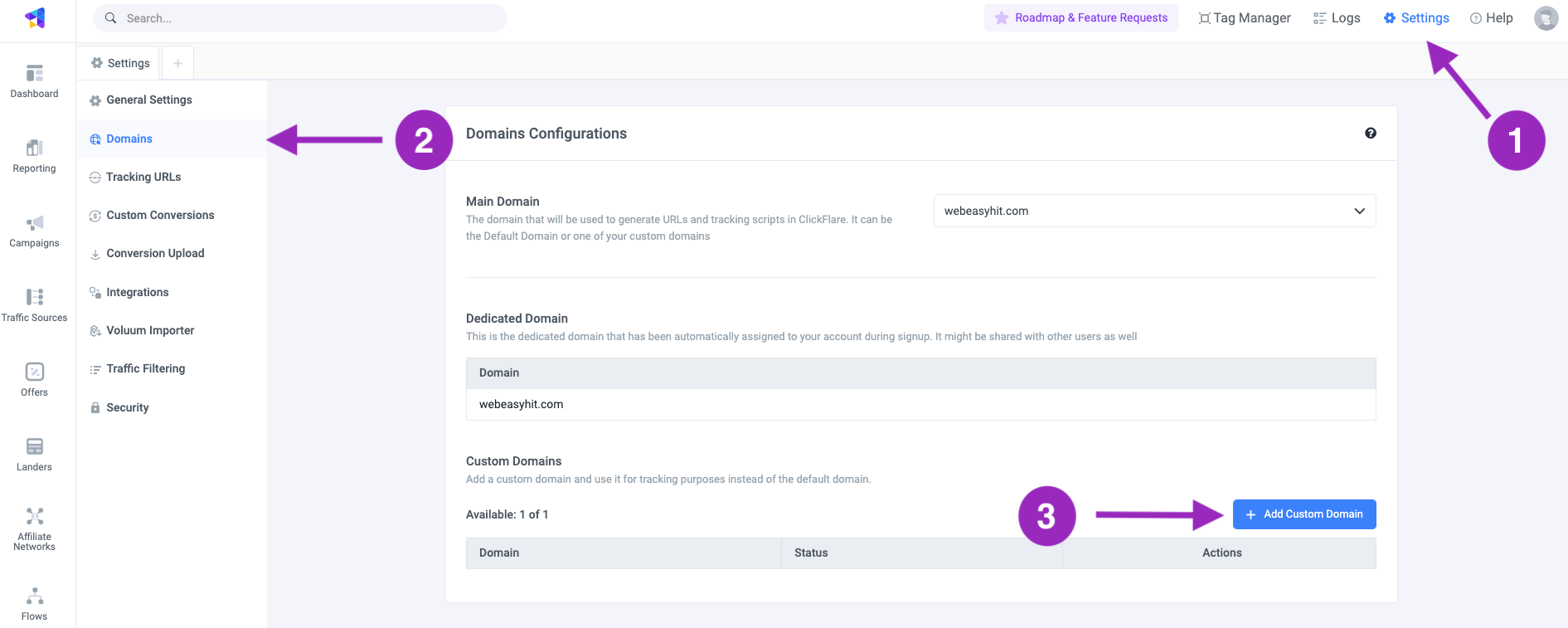
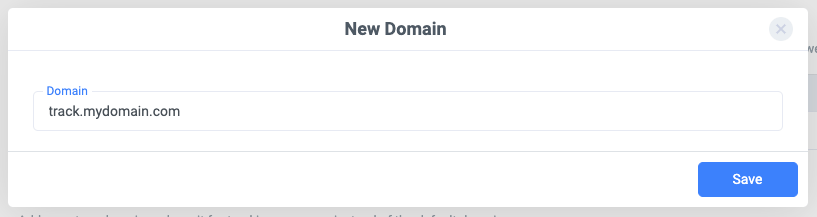

- Select the domain you intend to use (if you have more than one).
- Go to the DNS settings of the selected domain.
-
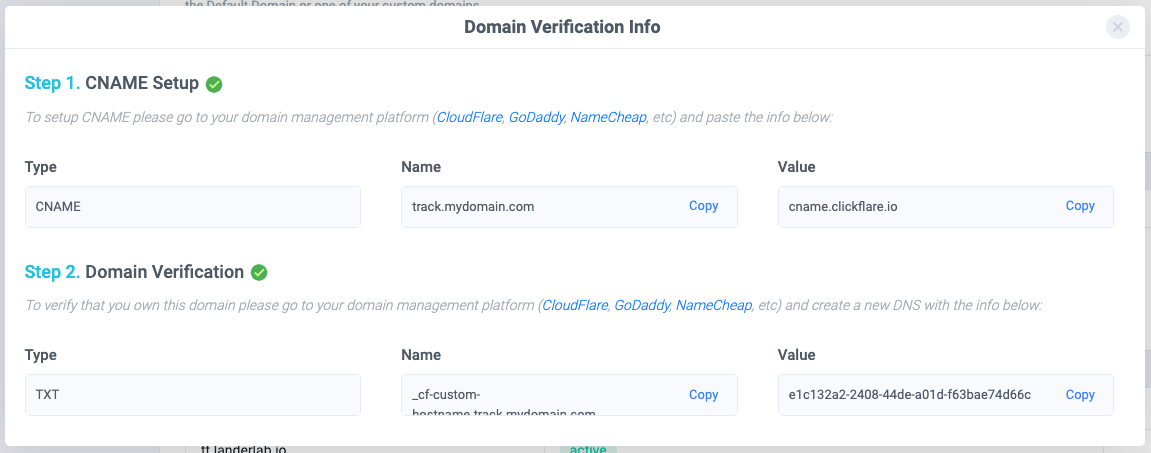
Create e new CNAME record and fill in the fields (Host and Value) with the exact values from ClickFlare (see the previous image). For the TTL select the lowest value available.
Note: This step is necessary to point your custom domain to your ClickFlare dedicated domain.
-
(Not needed after July 2026) Create a new TXT record and, as before, fill in the fields. The values should exactly match the ones you got from ClickFlare.
The next step may vary depending on the domain provider. If an SSL verification is required, follow all the remaining steps. If not, then you can jump directly to the last step.Note: Steps 4-6 cover domains added before the 29th of July, 2026. If you’re adding a new custom domain now, only a single CNAME record is needed. You no longer need to create TXT records or perform the SSL verification steps. See Custom Domain Setup: New Process.
-
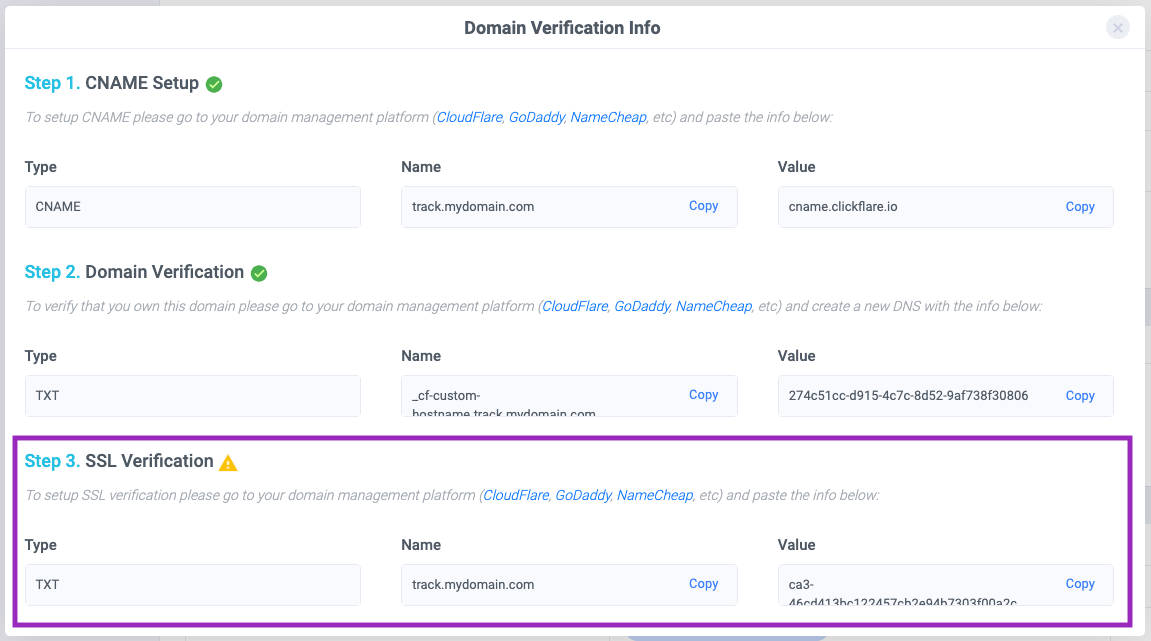
(Not needed after July 2026) Return to ClickFlare and in the Domain Verification Info window, you’ll see a third row (see image below). Copy the name and value.
-
(Not needed after July 2026) Back to your domain provider. Create a new TXT record for your custom tracking domain and paste the values you just copied.
Note: It may take some time for the DNS to propagate. The time it takes varies depending on the domain provider you’re using. In some cases, it can even take up to 48h (or more).Pro Tip: The fastest and most reliable domain provider is Cloudflare. From our experience with Cloudflare, within an hour (most of the time less) you should be ready and good to go. So that’s why we highly recommend using Cloudflare.
- When you see a green active tag next to your domain name in ClickFlare, it means that your domain is ready to use.
