

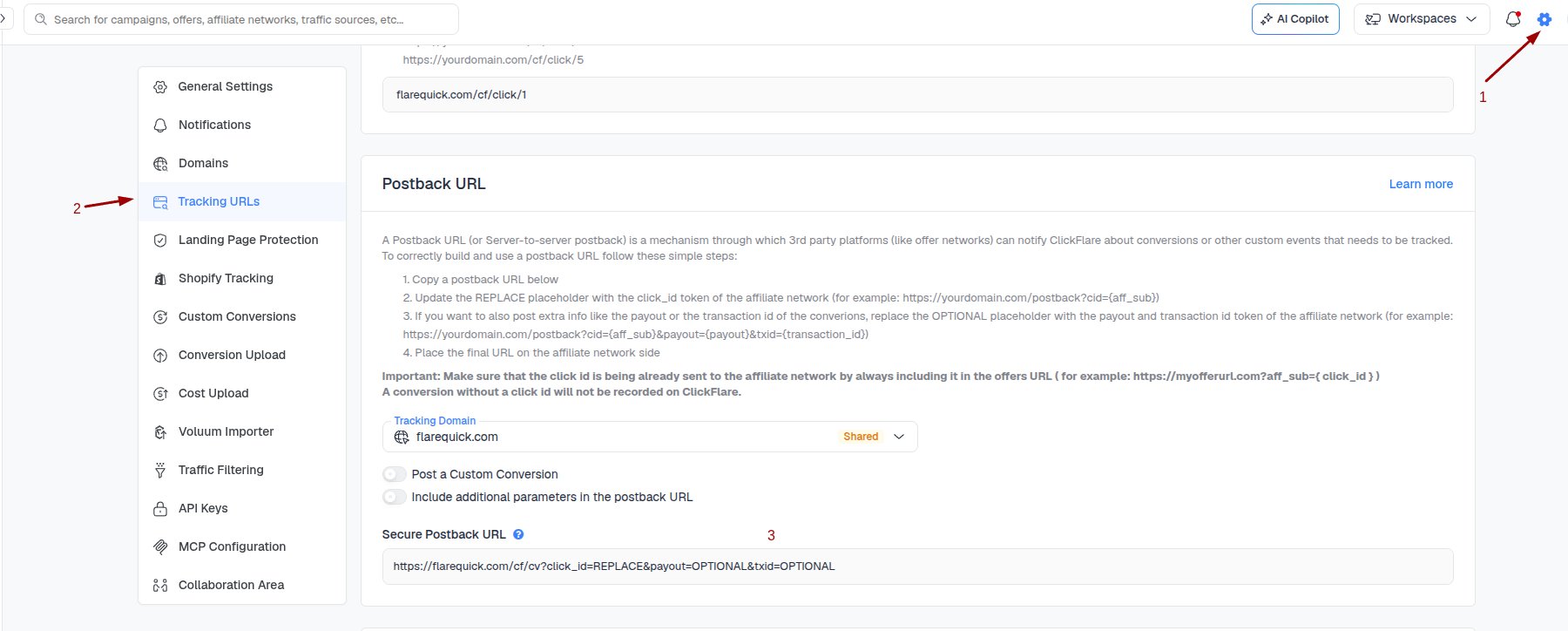
Setting up the postback URL
Follow the steps below in case you have difficulties setting up a postback URL.- Copy the Postback URL (as shown in the above picture)
- Replace the cid parameter value with the click_id token provided by your affiliate network (see example below).
- Replace the payout parameter value with the revenue token provided by your affiliate network.
Important note: The above postback URL example is used for demonstration purposes only. Always consult your affiliate network documentation for a correct list of tokens your network is using.
Receiving Additional Tracking Parameters
Depending on your campaign-specific needs, sometimes you may need to keep track of more than just conversions and revenue generated from these conversions. In case you are promoting an offer that has multiple conversion steps, the best way to distinguish multiple conversions coming from the same click ID (visitor) would be to utilize the transaction ID tracking parameter.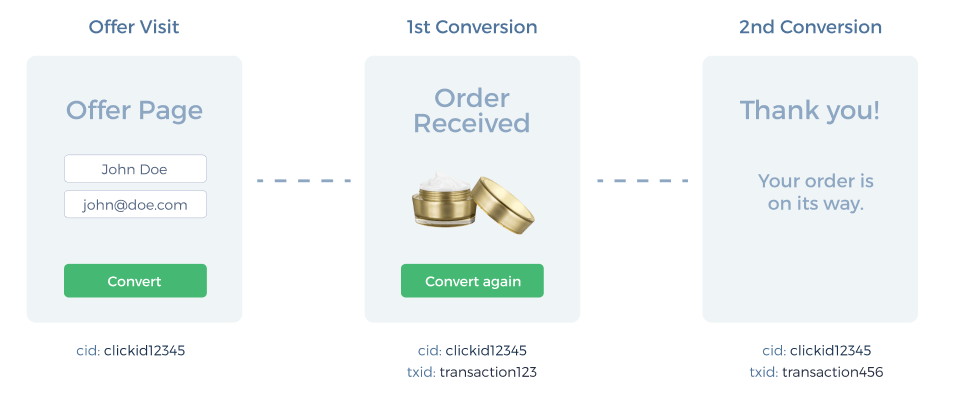
- Place the final URL on the affiliate network’s side
Important note: Make sure that the click ID is already being sent to the affiliate network by always including it on the offer’s URL. A conversion without a click ID will not be recorded in ClickFlare.