

Requirements
Before starting, make sure you have:- An active NewsBreak account
- An active ClickFlare account
- Access token (API key) from NewsBreak
How to Set Up the Integration
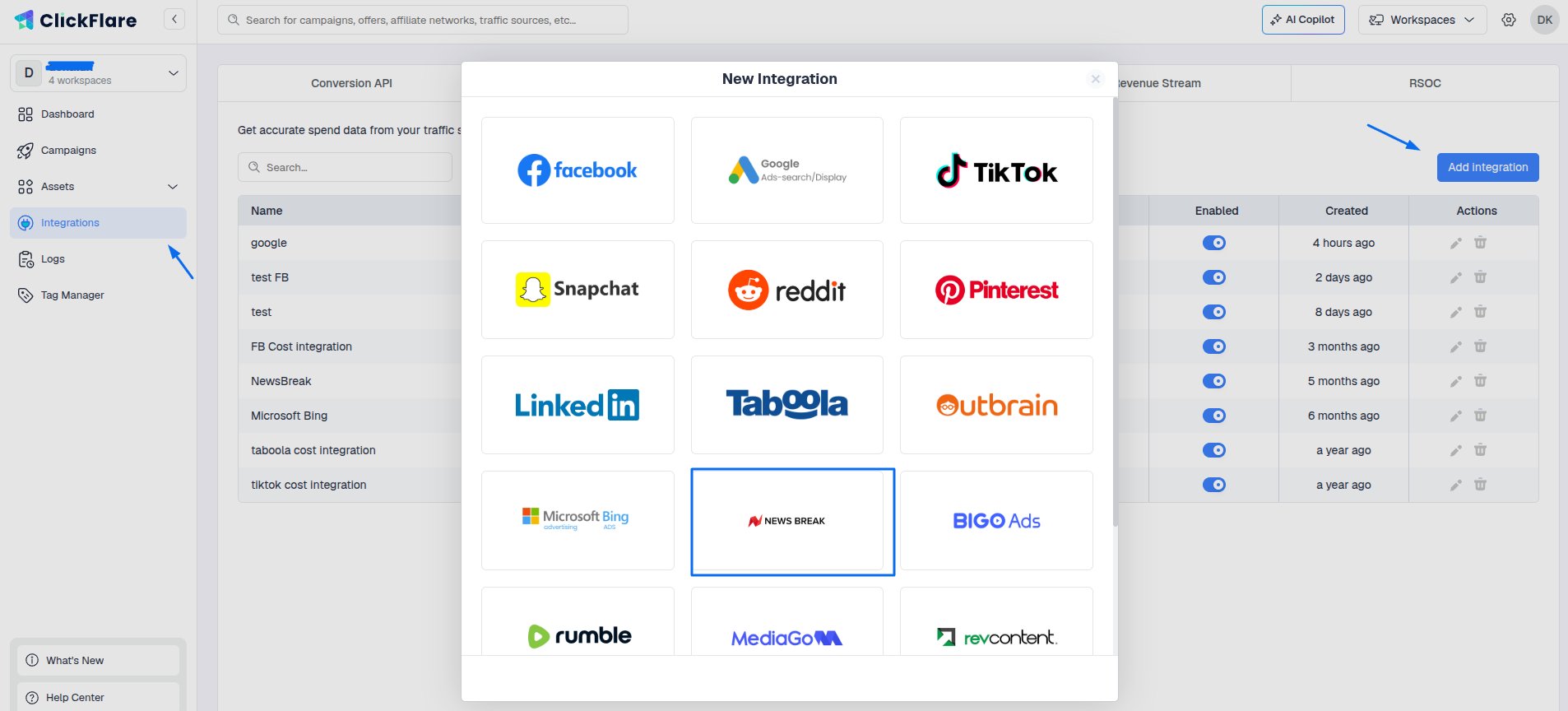
- Open the ClickFlare left sidebar
- Go to Integrations
- Under Cost Tracking Integrations, click Add Integration
-
Select NewsBreak from the list of available integrations
Configure Integration Details
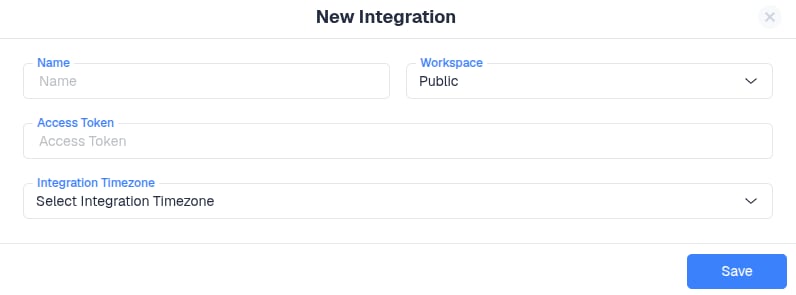
Now fill in the required information:- Workspace: Choose where this integration will be used (public or private workspace)
- Integration Name: Give it a clear, recognizable name
- API Key: Paste your NewsBreak API key
-
Timezone: Select the same timezone used in your NewsBreak account
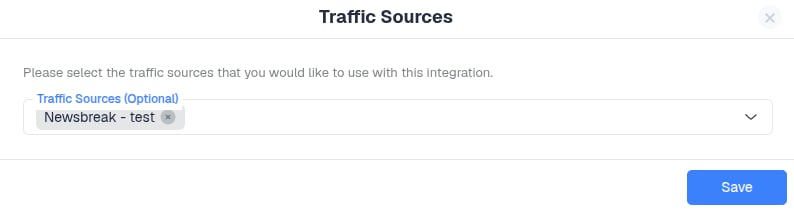
- You can assign specific traffic sources to this integration
- If needed, refer to the guide on how to add NewsBreak as a traffic source in ClickFlare
To Find Your NewsBreak Access Token
Go to NewsBreak → Tools → Advertising API → Token, then copy the token.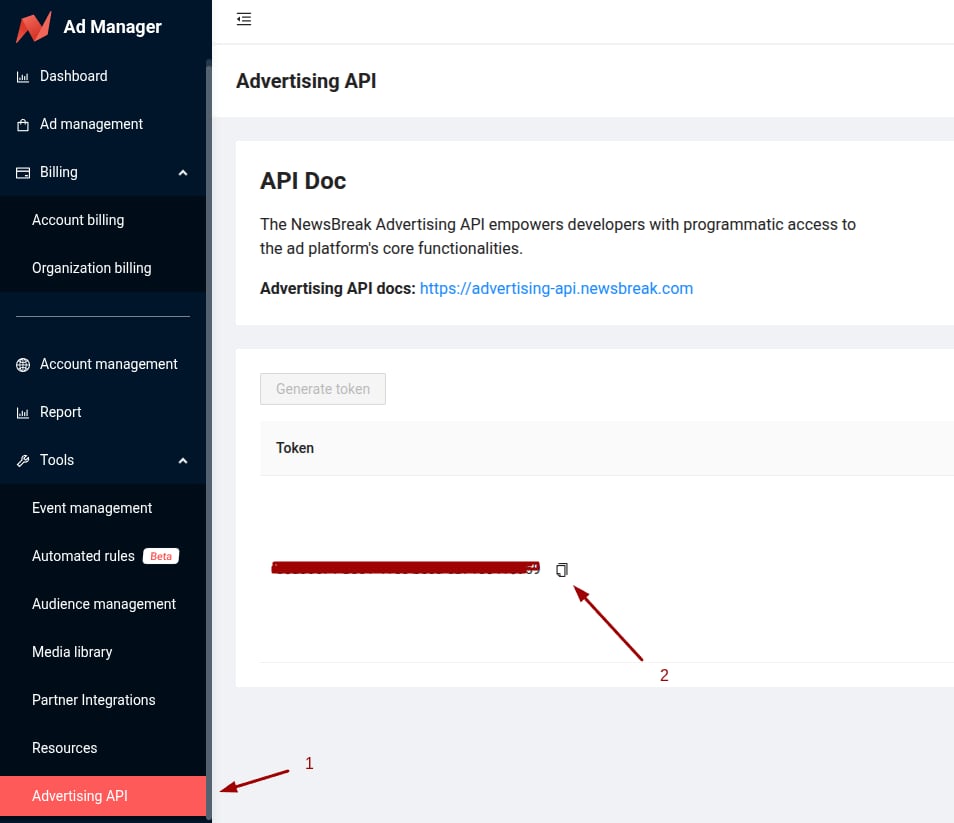
Important Note
Setting up the cost integration alone is not enough to fully track campaigns. You must also add NewsBreak as a traffic source in ClickFlare.- The cost integration handles cost syncing
- The traffic source setup enables full campaign tracking