

- An active System1 Account.
- An active ClickFlare Account.
- Your System1 Auth. Key
- Under RSOC Integrations, click Add Integration.

- Choose the System1 Mobile template
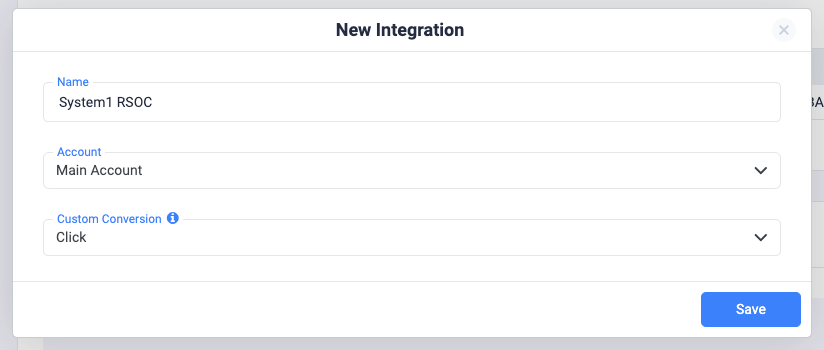
- Give your new integration a Name.
- Under Accounts, click on + Connect Account.
- Enter the account name, auth key, and click on Save.
- Proceed to selecting the custom conversion you want to attribute the conversion event to. To learn how to add a custom conversion in ClickFlare, follow our article here.
Note: For the integration to work, you must send the {cf_click_id} to the “nonrevsubid” parameter (see the offer URL example below).
- Lastly, click on Save.
Offer URL template for System1:
*Important Note:
It’s crucial to append the following parameter to your offer URLs:
- The Clickflare click ID: &nonrevsubid={cf_click_id}
- The ClickFlare campaign ID: “s1paid={campaign_id}”
If you fail to send the {campaign_id} in the subid parameter, you’ll not have the same-day revenue. The revenue will be reflected starting from the next day
Postback Setup for System1 RSOC Mobile
*Note:
Make sure to append the ClickFlare click ID (“click_id={cf_click_id}”) and send the segment name to Conversion parameter 10 (param10=REPLACE_SEGMENT_NAME).The postback must be encoded correctly. For instance, only the postback after the equal sign should be encoded.If your postbacks are:The encoded postback should look like this:
&search_track_url=https%3A%2F%2Fyour_tracking_domain.com%2Fcf%2Fcv%3Fclick_id%3D%7Bcf_click_id%7D%26ct%3Dsearch&click_track_url=https%3A%2F%2Fyour_tracking_domain.com%2Fcf%2Fcv%3Fclick_id%3D%7Bcf_click_id%7D%26param10%3DSEGMENT_NAME%26ct%3Dclick
Failing to encode the postbacks correctly will cause them to break and prevent conversions from being reported correctly.impression_track_url=https://your_tracking_domain/cf/cv?click_id=cf_click_id&ct=impression
search_track_url=https://your_tracking_domain/cf/cv?click_id=cf_click_id&ct=search
click_track_url=https://your_tracking_domain/cf/cv?click_id=cf_click_id¶m10=SEGMENT_NAME&ct=click
Note: Always make sure to encode the postbacks before appending them to your offer URL.
Note: System1 revenue reporting operates on PST time. Please ensure to set your ClickFlare settings to PST when checking reporting for System1.
! Important Note: The revenue we calculate on a click ID level is not accurate but just an estimation, based on the revenue dimensions (segment, campaign ID, geo, device) provided by System1